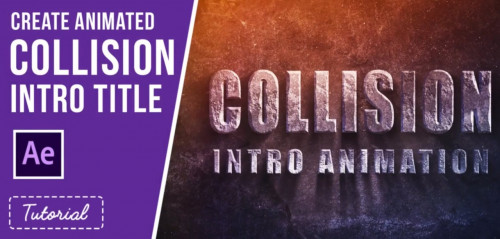
Udemy – Collision Intro Animation in After Effects

Udemy – Collision Intro Animation in After Effects
English | Size: 300.2MB
Category: Tutorial


Do you want to learn how to create an awesome collision title animation quickly & easily whilst learning the basics of Adobe After Effects? Then you’re in the right place! In this course you’ll learn how to add 3D rocky textures to your text that reacts to lighting. You can then use the text to create stunning Title or Logo Intro Videos. This project is flexible and fully customizable, making it easier to fit with your movie, project, website or social media platform. This class is perfect for illustrators, graphic designers, motion designers or anyone else looking to have some fun with After Effects! Follow along as we use Adobe After Effects to create this animation. Through this assignment you will learn:

Gumroad – Mesh Operations in Modo – Introduction (2019) with Richard Yot

Gumroad – Mesh Operations in Modo – Introduction (2019) with Richard Yot
English | Size: 429.4MB
Category: Tutorial


This tutorial is designed to give you a solid foundation for working with Modo’s procedural modelling system. Particularly useful for beginners, the training will completely demystify the procedural modelling workflow and explain it from the ground up, so if you are unfamiliar (or even intimidated) by Modo’s procedural modelling system this course will be especially useful. Once you’ve mastered the basic concepts the workflow will become extremely simple and easy.

Packt – Automation Framework Design Using TestNG

Packt – Automation Framework Design Using TestNG-iLLiTERATE
English | Size: 3.28 GB
Category: Tutorial


This course will take you through the basics as well as advanced concepts in TestNG and automation framework building.
You’ll start with the basic annotations in testing, and cover test execution management and automation framework design. You’ll then delve into the page object model, a modern design pattern, and Page Factory – a useful tool. As you progress, you’ll cover the advanced concepts of TestNG and the annotations in it. Finally, you’ll get to grips with running tests in parallel and data-driven testing.

Digital Tutors – Compositing 3D into Video in Maya and After Effects

Digital Tutors – Compositing 3D into Video in Maya and After Effects
English | Size: 967.2MB
Category: Tutorial


In this tutorial we’ll learn how to take the output from a motion tracker app into Maya, import a 3D model to light and render, then jump into After Effects to composite it with our original footage. We’ll begin the tutorial by setting up our motion tracked scene by adding the original footage and aligning everything to make working easier. We’ll then bring in our 3D object and learn how to place it in our scene. We’ll then learn how to create ground geometry and match the lighting in our original shot. We’ll then create multiple render passes and layers to make compositing much easier. After we render, we’ll jump into After Effects and learn about such topics as shadow matching, color matte usage and various techniques to match our 3D render with our live action back-plate. The end result of this course will be a final color corrected shot of our 3D object in real life. This tutorial will illustrate an example of how to use Maya and After Effects together to integrate a 3D model into live-action footage. This will allow us to place our own 3D models into real environments easier. Software required: Maya 2010 and After Effects CS4 and up for project files.