PluralSight – Learning Azure Cosmos DB

PluralSight Learning Azure Cosmos DB Bookware-KNiSO
English | Size: 697.15 MB
Category: Tutorial


Microsoft’s Azure Cosmos DB is becoming an essential tool for creating powerful global web and mobile applications. This course will teach you how to design databases and build applications using the various Cosmos DB APIs and supported data models

PluralSight – Styling Websites with CSS

PluralSight – Styling Websites with CSS Bookware-KNiSO
English | Size: 172.70 MB
Category: Tutorial


This course will teach you how to create stylesheets and add style rules using different types of CSS selectors

PluralSight Storing Data in HTML Bookware-KNiSO

PluralSight Storing Data in HTML Bookware-KNiSO
English | Size: 61.74 MB
Category: Tutorial


Sometimes you might need to store a small piece of user data without utilizing a database. This course will teach you how to store data in HTML without the use of a database

PluralSight – Node.js Getting Started

PluralSight – Node.js Getting Started Bookware-KNiSO
English | Size: 270.60 MB
Category: Tutorial


Web and mobile applications depend on back-end services to host their various resources and do most of the heavy lifting Creating these back-end services is often very difficult, but the Node.js runtime makes it easier and more fun. In this course, Node.js: Getting Started, you’ll learn the basic skills you need to create scalable back-end services with Node.js. First, you’ll explore the tools that come built-in with Node as well as some of the tools that are offered by the community. Next, you’ll learn about package management module dependencies, event-driven concurrency strategies, and how to write code to interface with the operating systems on servers. Finally, you’ll discover the modern JavaScript features that you can use with Node.js today. When you’re finished with this course, you’ll be comfortable creating and executing code for Node
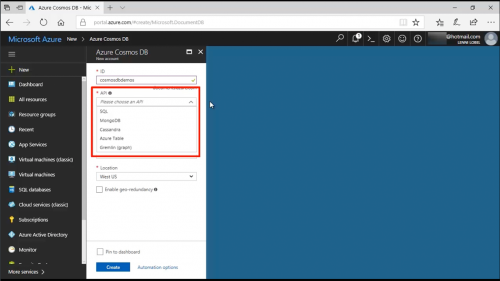
PluralSight – Introduction to Amazon Inspector

PluralSight – Introduction to Amazon Inspector Bookware-KNiSO
English | Size: 22.74 MB
Category: Tutorial


This course describes how Amazon Inspector is used to analyze AWS resources and help identify potential security issues. It includes an overview of how to configure the service and the steps needed to get started. A demonstration is also included with details on how to initially configure Amazon Inspector