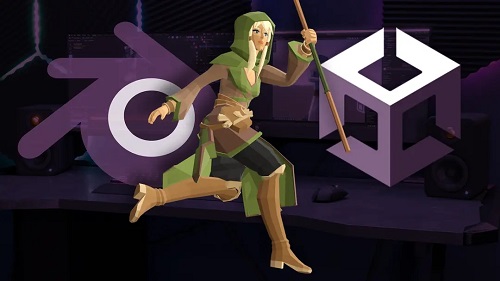
GameDev.tv – From Blender to Unity – Game-Ready Assets, Characters and Animation
English | Tutorial | Size: 1.74 GB
Master a clean, frustration-free workflow for exporting Blender models, textures, and animations into Unity – optimised, game-ready and easy to control.
by Joe Garth
2h MP4
What you’ll learn
Learn the exact workflow for exporting Blender assets into Unity – clean, fast, and frustration-free.
Bake textures and normal maps to make your models look great in-engine.
Set up Level of Detail (LOD) for optimised performance in your Unity scenes.
Rig characters in Blender using the free Rigify add-on – quick and effective.
Animate with Blender’s Non-Linear Animation Editor and build a simple control rig.
Export distinct character actions that work seamlessly in Unity.
Choose the right file formats and settings for smooth imports every time.
Perfect for developers and artists who want to stop relying on pre-made assets and bring their own Blender creations into Unity.
About the course
Got sweet Blender models but no clue how to get them into Unity? We’ve got you covered. This course is your shortcut to exporting game-ready assets that actually work.
You’ll learn the full workflow for taking props, characters, and animations from Blender into Unity. No more janky imports or weird material issues.
Bake textures that look sharp in-engine. Add Levels of Detail to boost performance. Export clean, crisp assets that load right into Unity.
We’ll show you how to rig characters using Rigify – a free Blender add-on that’ll save you loads of time and pain.
You’ll create simple but powerful control rigs, animate with Blender’s Non-Linear Animation Editor, and export distinct actions to Unity.
This course is perfect if you’re tired of relying on pre-made assets and want your own creations in your game.
Whether you’re an artist, indie dev, or hobbyist, this course helps you build your own pipeline – fast, fun, and fluff-free.
All you need is a basic understanding of Blender and Unity. No coding required. Just bring your models and your game dev dreams.
Ready to make Unity your Blender asset’s new home? Jump in and let’s build something awesome.
Instructor
Stephen Woods
Hi, I’m Stephen – great to meet you!
I fell in love with 3D art in 2005 when I began using 3DS Max in 2005 while studying Film-craft and Animation. A few years later I moved onto Maya and Lightwave while completing a degree in Computer Animation. I discovered, despite a love of animation and filmmaking, that creating 3D art was the career for me.
While taking time off to be a stay-at-home dad to two brilliant boys, I discovered Blender and explored every aspect of this amazing content creation software, from modelling, lighting, texturing, rendering, and compositing to animation, video editing, VFX and recently, geometry nodes. Transitioning from Max and Maya to Blender as my primary production tool.
Since discovering GameDev.tv‘s awesome Unity courses many years ago, I’ve also caught the programming bug and recently completed a second degree in Computing and IT with Design, where I mostly concentrated on Design Thinking and innovation, Python, Java, and C# programming, Software Engineering and Web Technologies.
I’m honoured to now teach Blender for a living, creating several courses over the years. I just couldn’t be happier that I now work with GameDev.tv to bring you more Blender courses that will inspire you to level up your 3D art, whether for games, illustration, or animation.
DOWNLOAD:
RAPIDGATOR:
rapidgator.net/file/338ad7f9e389a494f1c8f766a89c9c1d/GameDev.tv_-_From_Blender_to_Unity_-_Game-Ready_Assets,_Characters_and_Animation.part1.rar.html
rapidgator.net/file/11cefd5a5e1964100d51666d21fc8d04/GameDev.tv_-_From_Blender_to_Unity_-_Game-Ready_Assets,_Characters_and_Animation.part2.rar.html
TURBOBIT:
trbt.cc/avtw43vdwn0o/GameDev.tv_-_From_Blender_to_Unity_-_Game-Ready_Assets,_Characters_and_Animation.part1.rar.html
trbt.cc/g5xh99itcsn7/GameDev.tv_-_From_Blender_to_Unity_-_Game-Ready_Assets,_Characters_and_Animation.part2.rar.html